
a) Main Overview
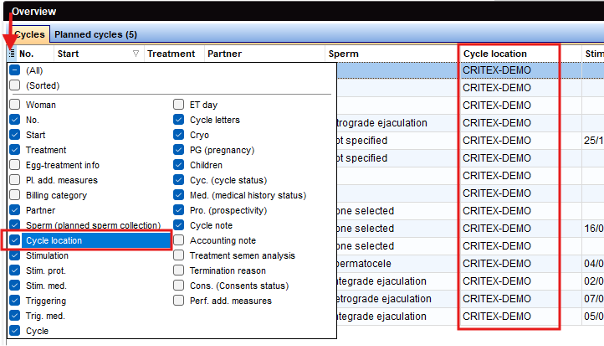
A new column “Cycle location” is available in the Main Overview and can be activated under the “show/hide/move columns” button.
b) General
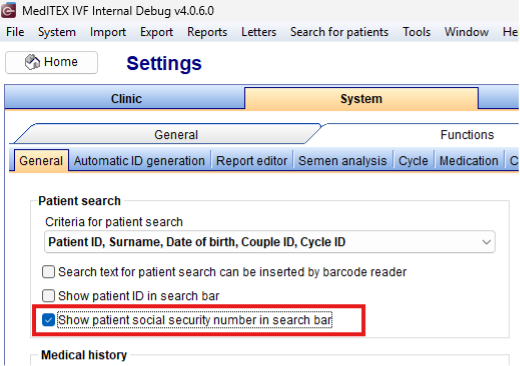
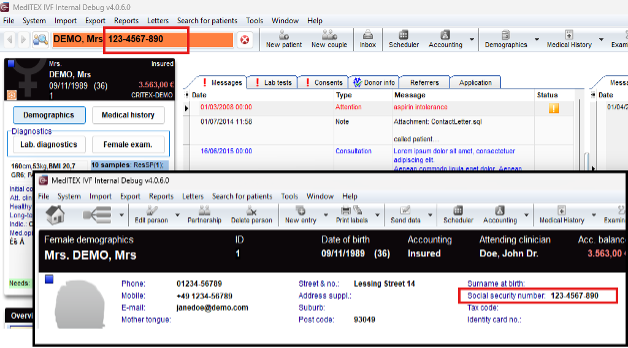
The social security number is now visible along with name und patient-ID in the search bar. To activate, this setting can be found under System → Configuration/Administration → Settings → System → Functions → General.
c) Inbox
A new column “By” (referring to the “By“ Field in a Letter) is available in the Inbox overview and can be activated under the “show/hide/move columns” button.

d) Medical History
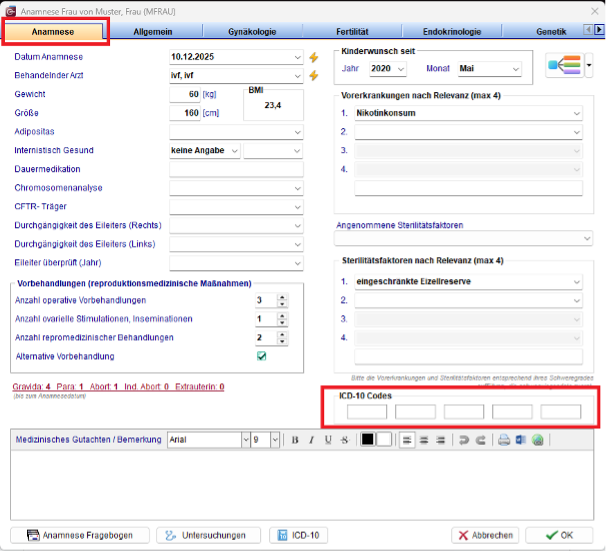
In male and female medical history, there are now 5 additional fields available for ICD-10-Codes.
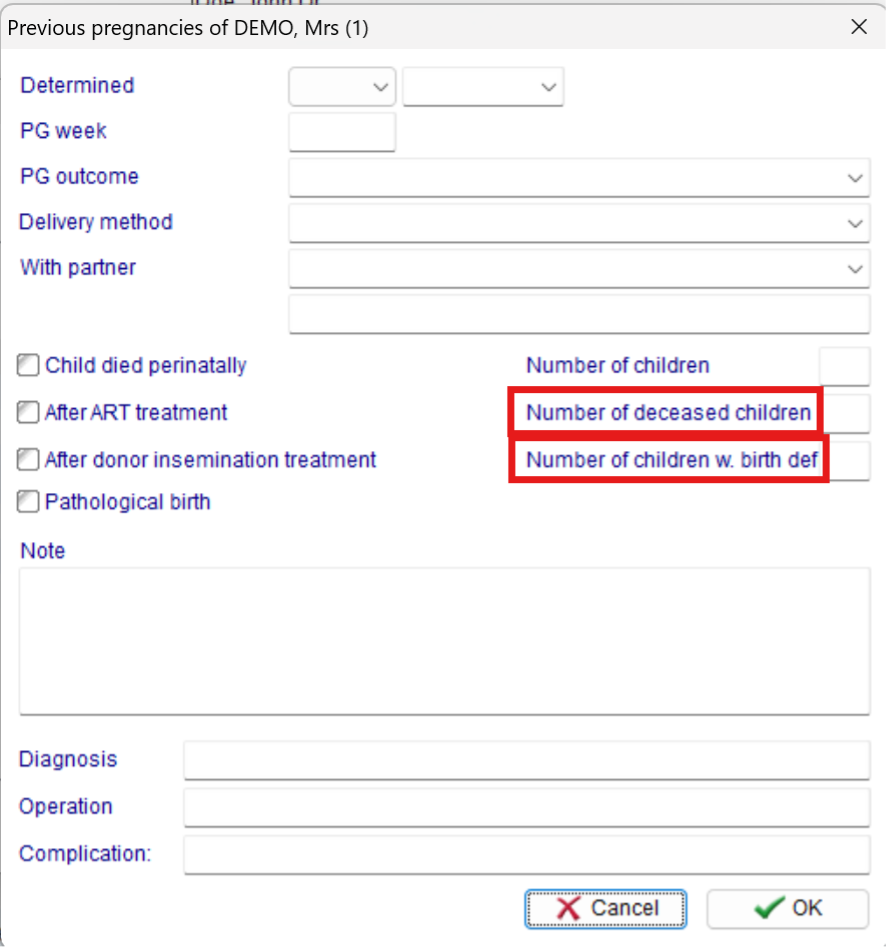
The label “Number of dead children” under previous pregnancies been changed to “Number of deceased children”.
The label “Number of diseased children” under previous pregnancies been changed to “Number of children w. birth defects”.
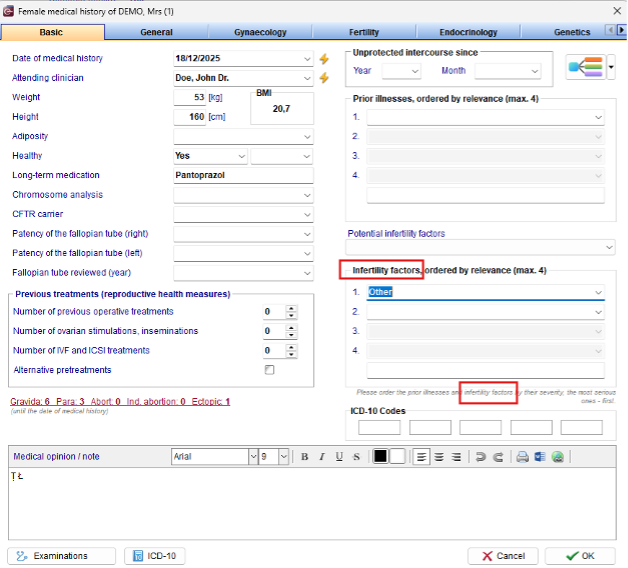
The label “Sterility factors” under Medical History has been changed to “Infertility factors”.
e) Demographics
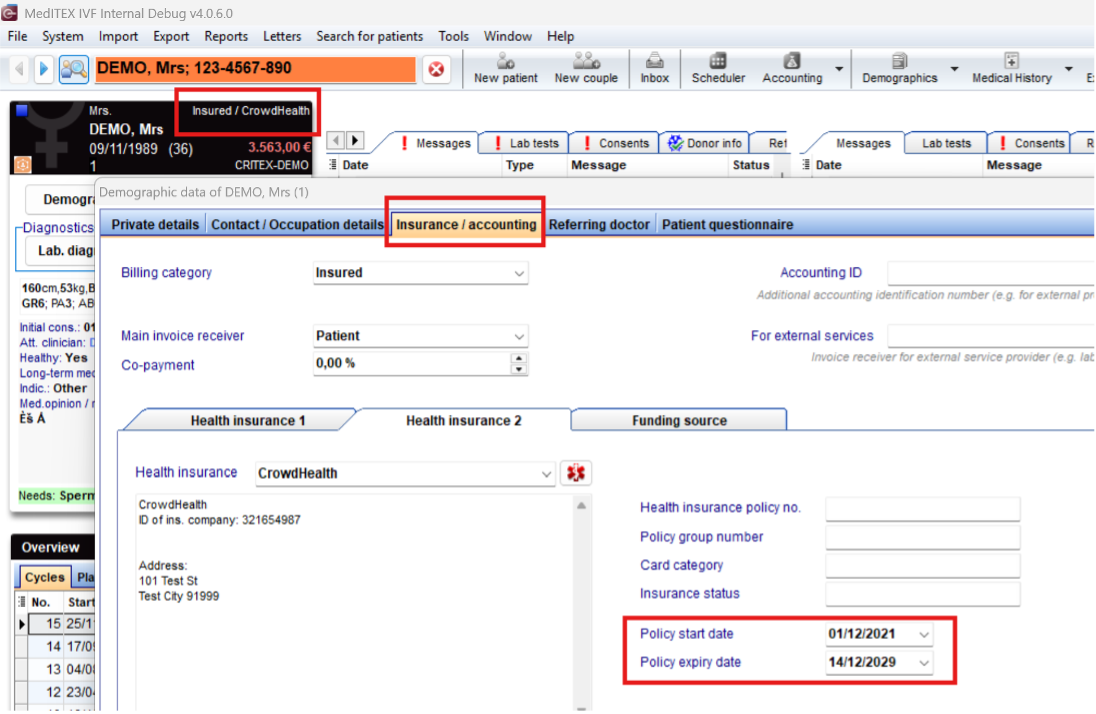
Only the current, valid Health Insurance will be displayed in all Tools. IVF, Scheduler, and Accounting display the valid Health Insurance based on the Policy start and expiry dates.
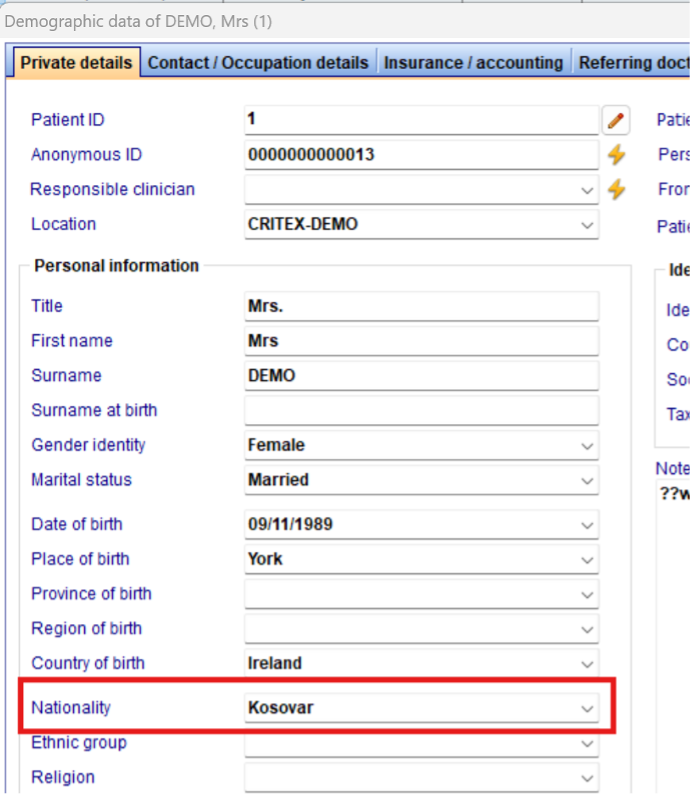
The nationality “Kosovar” has been added to the list.
f) Report Editor
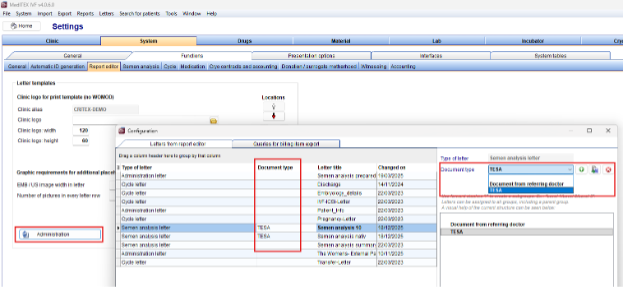
Semen analysis letters can now be grouped for a better overview.
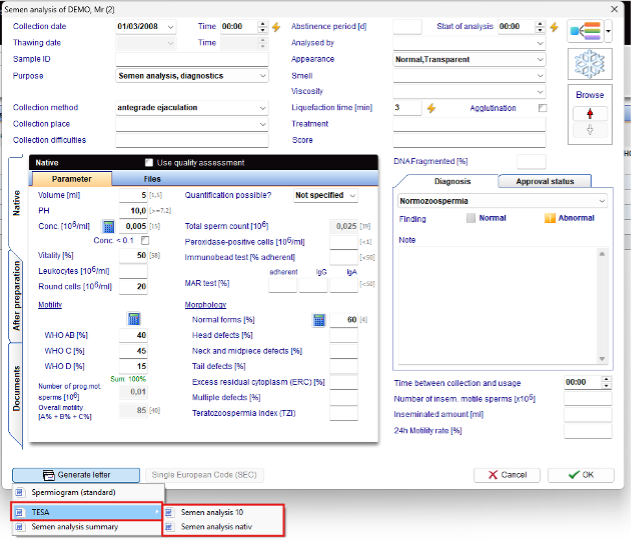

This grouping can be defined under System → Configuration/Administration → Settings → System → Functions → Report Editor → Administration button.
a) Cryo Storage
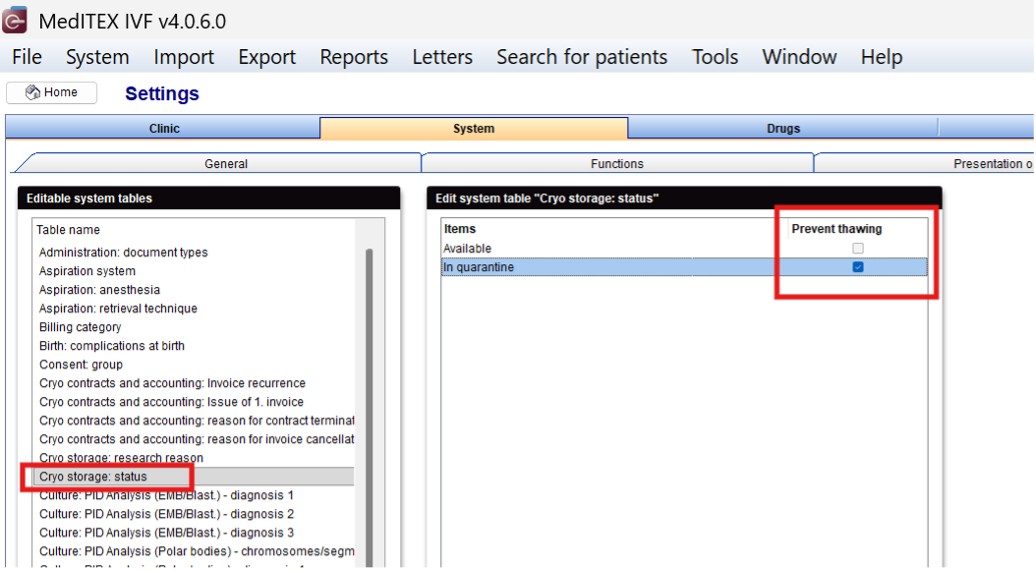
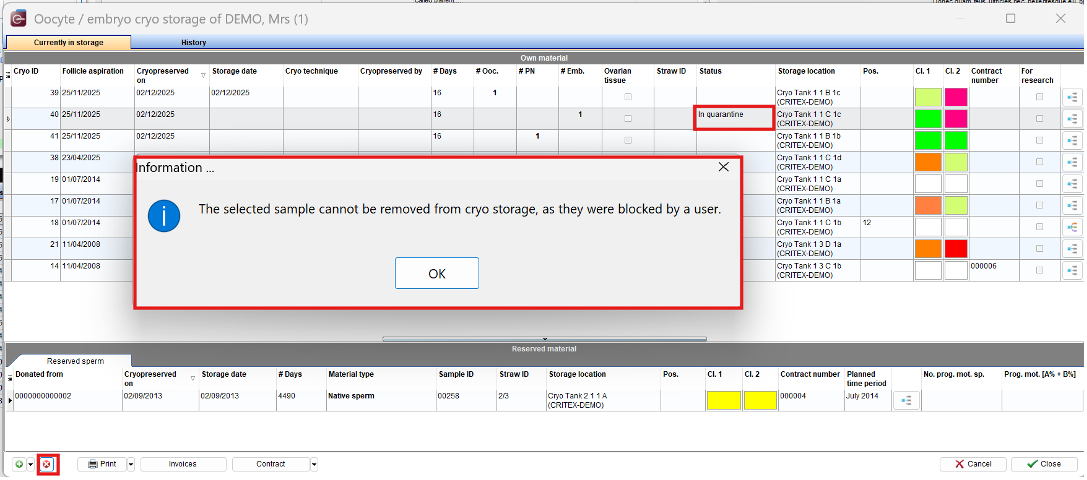
The thawing of a cryopreserved sample can now be prevented by defined statuses, e.g., “In Quarantine.” For a status to block thawing, it must be marked with the “Prevent thawing” option. This is configured under System → Configuration/Administration → Settings → System → System tables.
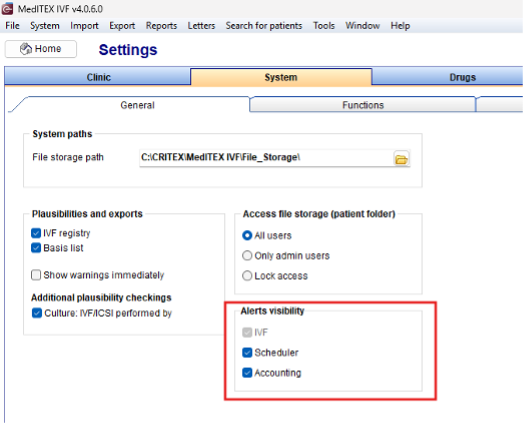
All Alerts defined in MedITEX IVF are also now visible in Accounting.
As usual, they can be opened any time using the “Window” button in the menu bar.
The application in which the Alerts will be displayedin can be defined in MedITEX IVF under System → Configuration/Administration → Settings → System → General.
The Self-generating of billing items has been expanded to include “performed additional measures”.
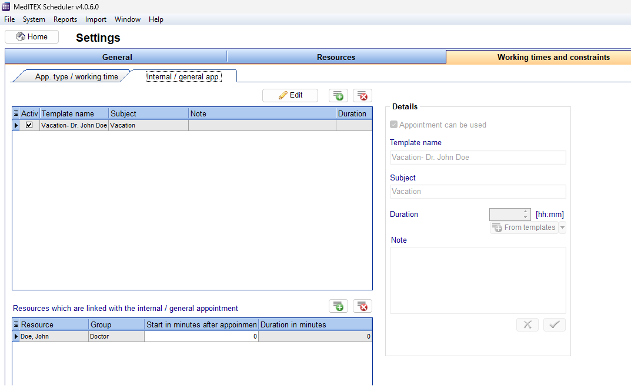
The template for internal/general appointments has been expanded to include a duration and linked calendars.
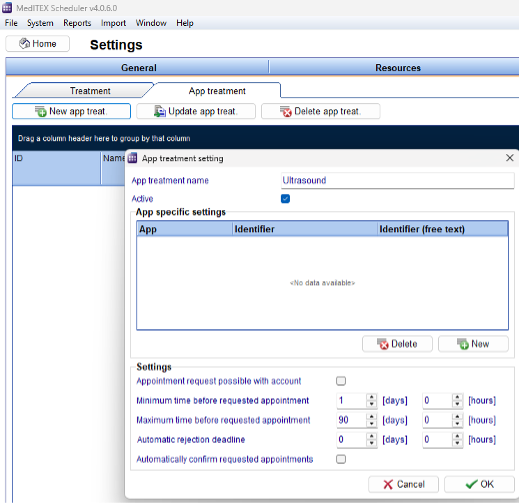
A new tab called “App Treatments” has been added to the settings in the “Treatments” tab. Here, appointments can be defined for interfaces such as MedITEX Connect, Hope, and Salve
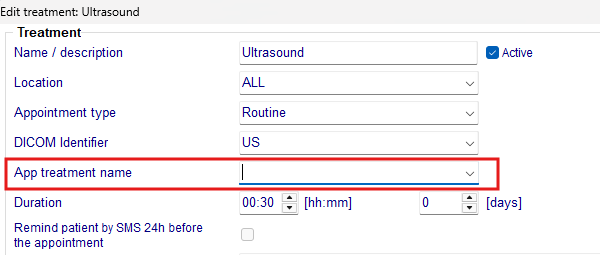
The treatments defined in the app can then be assigned to a specific treatment. This determines which treatments are shared with partners and which appointments patients can book or arrange independently online.
a) LDT
The import now reliably processes city names with multiple words and imports them correctly.
b) Cryos
An automated interface between MedITEX IVF and the Cryos sperm bank is now available.
The new interface automatically imports ordered sperm samples and assigns them to the respective donors in MedITEX IVF. In addition, the pregnancy outcome of the treatment performed with the sample is automatically reported back to Cryos.
c) Hope
Consent forms can be sent to patients or patientc ouples again.
d) Connect
MedITEX Connect now enables secure communication of messages and documents.
In addition, appointments can be transmitted via MedITEX Connect or booked directly by the patient. Further information can be found at www.meditex.cloud/connect.
a) General
An update issue in the Messages tab has been fixed.
The patient group in the search field is only visible when a patient is selected.
Automatic patient IDs are generated correctly for first names consisting of numbers.
Automatic patient IDs are generated for names containing the Polish “Ł” character (PL).
b) Cycles
The patient status in the overview is visible even without a stored image.
An error message during thawing has been fixed.
The notes field is read-only for locked Cycles.
c) Semen analysis
The total sperm count in the overview is now displayed with three decimal places, as in the semenan alysis.
d) Medical History
Entries that were not saved after entering previous pregnancies are now saved correctly.
The opening time for theindividual flexible medical history has been optimized.
e) Female Exam.
The creation of duplicate records after importing ultrasound images is prevented.
f) Lab. diagnostics
Expired laboratory parameters are marked in red again.
Memory errors have been fixed.
The couple identification code is visible again.
g) Report editor
The formatting of placeholders in letter templates will be retained.
Placeholders in textfields can be defined without any problems.
All conditions are saved correctly.
Excel export of reports with savable file names.
h) Cryo Storage
The SEC will be added to Cryo labels.
i) Donors
The saving of donation history has been adjusted.
Discrepancies in donor family entries have been corrected.
Negative numbers in donation information are no longer permitted.
Discounts are correctly documented.
a) DICOM
The complete functionality has been overhauled and improved.
b) SMS
Messages over 255 characters are correctly imported.
c) E-Mail
Client E-Mail Program will be used again, if checked in the System settings.
d) HFEA/PRISM
The time is now shown in all time stamp fields.
The Embryo Creation Form is now correctly created again for a cycle with multiple mixings.
When thawing multiple straws containing eggs from the same source, only one Egg Thaw Form is now created.