
MedITEX HL7


Automated import and export of data
Two interface modules: HL7 Import and HL7 Export
Automated import and export of patient data, lab results and findings: recorded once and directly in the right patient file.
Your hospital or laboratory system stays in place. MedITEX HL7 keeps it in sync with MedITEX IVF in the background.
Four Ways HL7 Saves Time
MedITEX HL7 connects MedITEX IVF with your hospital and laboratory systems, so data flows in and out without typing it twice.
Lab results as data
Findings without paper
HL7 Import
Data coming into MedITEX IVF: patient data from
the hospital system and results from the laboratory.
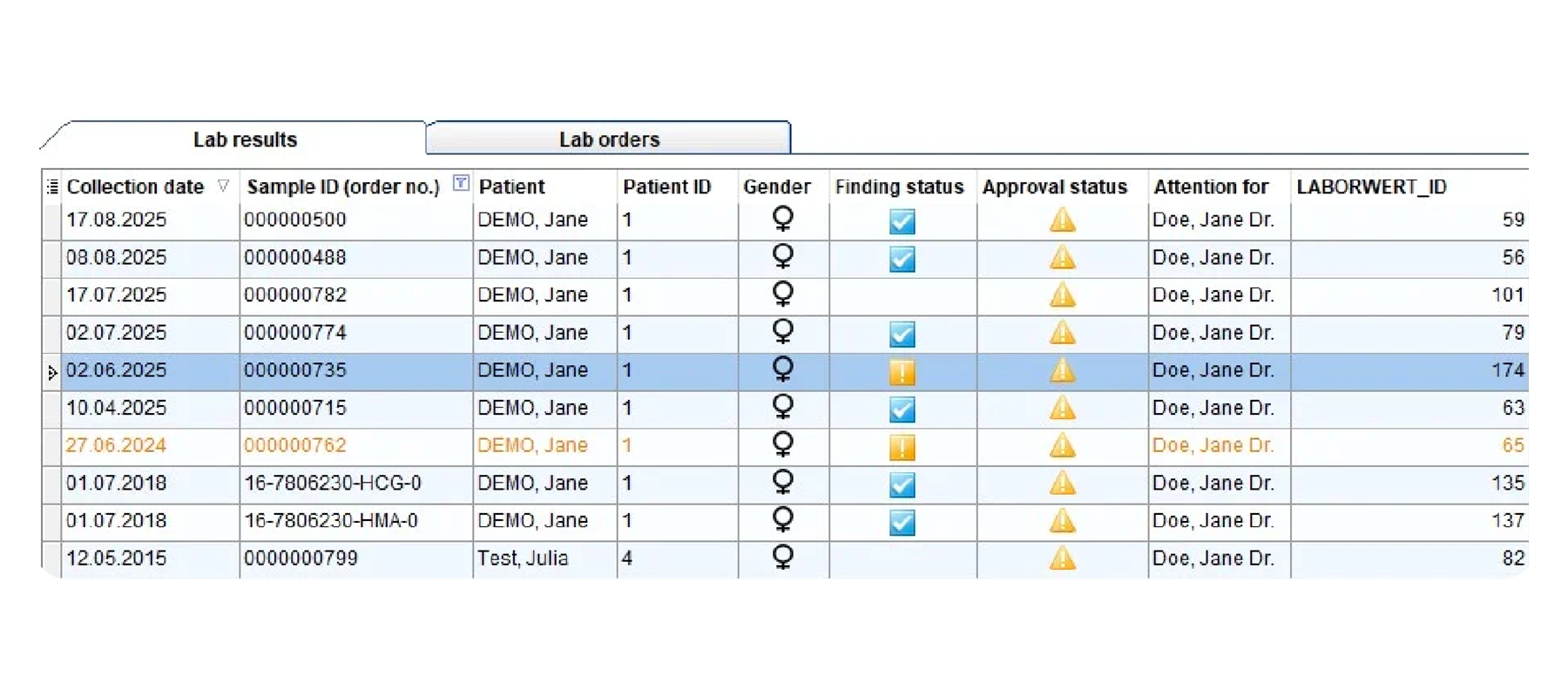
Lab results
When results come in from the lab
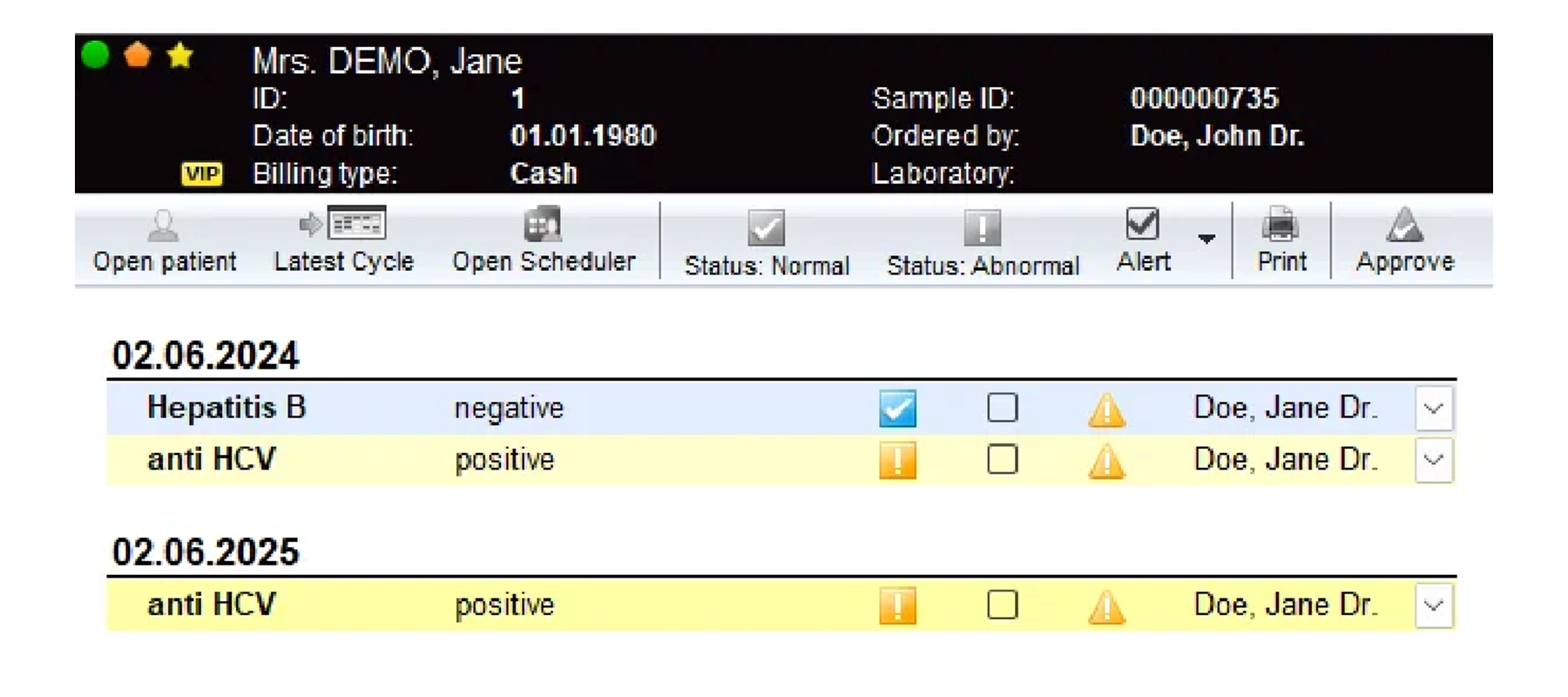
Values land in one inbox and are worked off like a to-do list, filed under the right patient, with a clear warning for abnormal findings.
Patient file
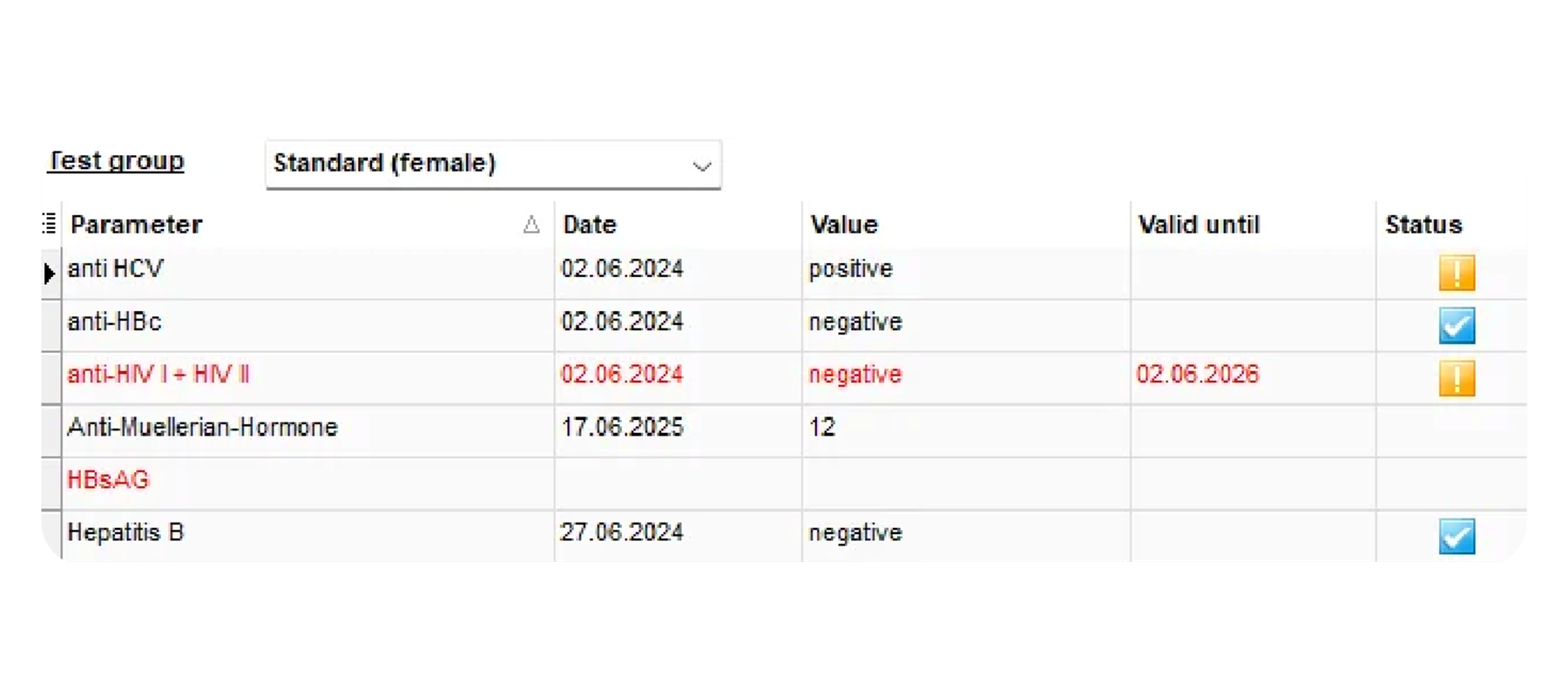
When you open a patient file
Serology, HIV refreshers and other values are already there, with expiry dates kept in view, and nothing has to be typed in.
Safety net
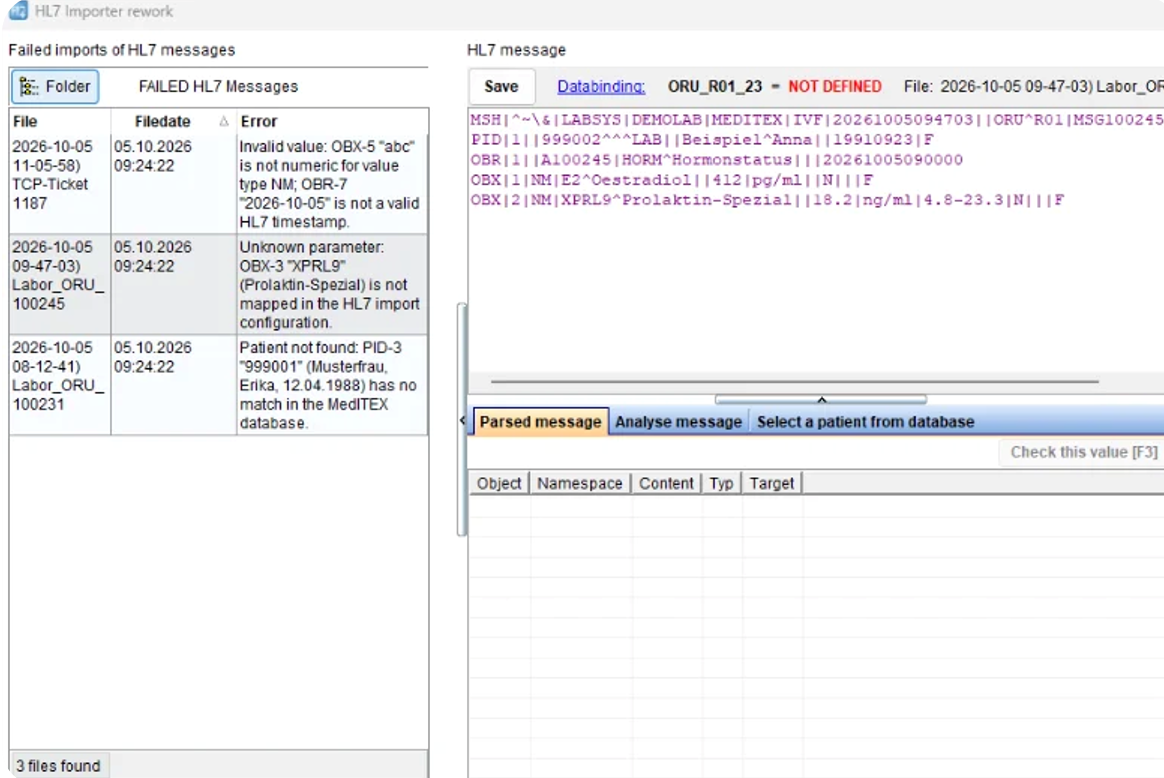
When a message doesn't match
Nothing gets lost. A message without a matching patient waits for a person, and every step stays on record.
HL7 Export
Data going out of MedITEX IVF: lab orders
to the laboratory and findings to referrers.
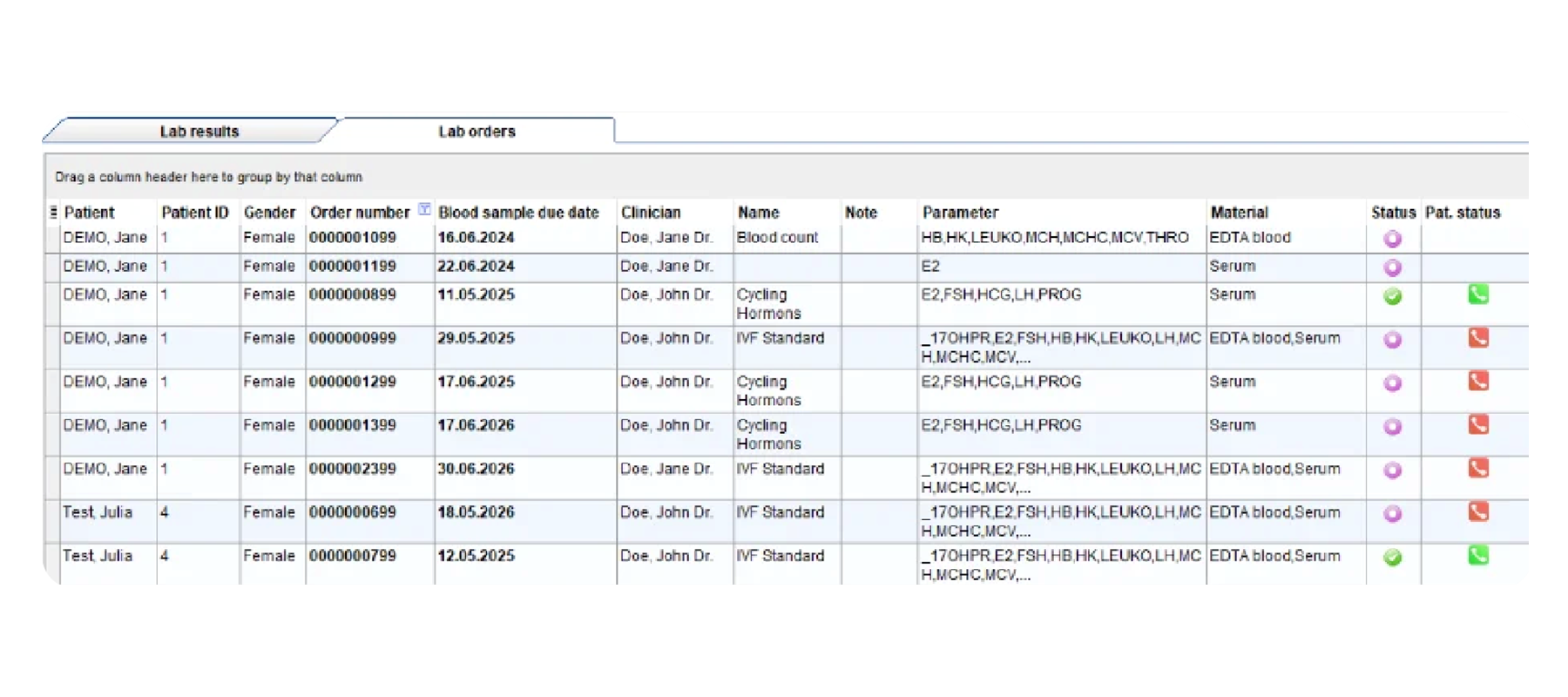
Lab orders
When you order lab tests
Orders leave MedITEX electronically, with barcode labels printed directly in MedITEX. When the result arrives, the matching order closes by itself.
Findings
When findings go to referrers
Finished documents reach one or several referrers as PDF, without printing and scanning. Every send is recorded per patient, as accepted or failed.
Connect MedITEX IVF to Your Hospital and Lab Systems
MedITEX HL7 keeps patient data, lab results and findings in sync with the systems your clinic already uses: recorded once, filed under the right patient and traceable at every step.
Interested in MedITEX HL7 for your clinic?
Contact sales@nexus-meditex.deWe are looking forward to meeting you!

Francesca Löschel
Global Sales Manager

Carina Dirscherl
Global Sales Manager

Mohamad Abou-Alhaj
Senior Embryologist MedITEX Consultant
Frequently Asked Questions about MedITEX HL7
What is MedITEX HL7?
MedITEX HL7 is the HL7 interface for MedITEX IVF, the fertility clinic software by NEXUS / MEDITEX. It automatically imports and exports patient data, lab results and findings, so every value is recorded once and lands directly in the right patient file.
Do I need both HL7 Import and HL7 Export?
No. MedITEX HL7 consists of two interfaces that are booked separately: HL7 Import brings patient data from the hospital system and results from the laboratory into MedITEX IVF. HL7 Export sends lab orders to the laboratory and findings to referrers. You can start with one of them or use both together.
Does MedITEX IVF support HL7 integration with hospital and laboratory systems?
Yes. With MedITEX HL7, MedITEX IVF connects to your hospital system and your laboratory systems. Your existing systems stay in place, and the interface keeps them in sync with MedITEX IVF in the background, in both directions.
Which data does MedITEX HL7 exchange?
MedITEX HL7 exchanges patient data such as name, date of birth, address and insurance number from the hospital system, lab results with unit and, where the lab provides them, reference range and abnormal flag, lab orders sent electronically from MedITEX IVF, and finished findings, which reach one or several referrers as PDF.
How do lab results get into the right patient file?
MedITEX HL7 matches incoming messages by patient ID, and lab results by patient ID or lab order ID. Values are filed under the right patient and the right sample, and the matching lab order in MedITEX IVF is closed automatically.
What happens if a message cannot be matched to a patient?
It is never discarded. A message MedITEX cannot assign to a known patient is kept for reprocessing, where a team member assigns it to the right file in one click. If the patient is not yet in MedITEX, the value is archived and assigned automatically at the next import, once the patient data is there.
Can lab orders be sent from MedITEX IVF via HL7?
Yes. Lab orders leave MedITEX IVF electronically instead of through a separate portal or on paper, and the barcode labels are printed directly in MedITEX.
What if we change laboratories?
MedITEX HL7 can be reconfigured for any laboratory. Connecting a new lab partner is normally a matter of configuration, not a new software release.